My VS Code Setup & Settings Sync workflow
Preread: VsCode Multi-root Workspaces
Goal: #
- The goal of this post is to sync all Local DEV Setup related settings/configs from a remote git repo that centralizes the configs
- WT settings
- Settings
- WSL Settings
- WSL Global Config - Config file in Windows
- WSL Distro specific Config - Config file in WSL Distro Example: Debian
- VSCode Settings
- Windows - VSCode Client settings
- WSL - VSCode Server Settings
- Multi-root-workspace Settings
- Commons
- Specific
- Example:
- FE projects specific configs
- BE projects specific configs
- Example:
- WT settings
Sync all the settings(windows, wsl, MultoRootLevel) -> LocalClone -> Remote Git
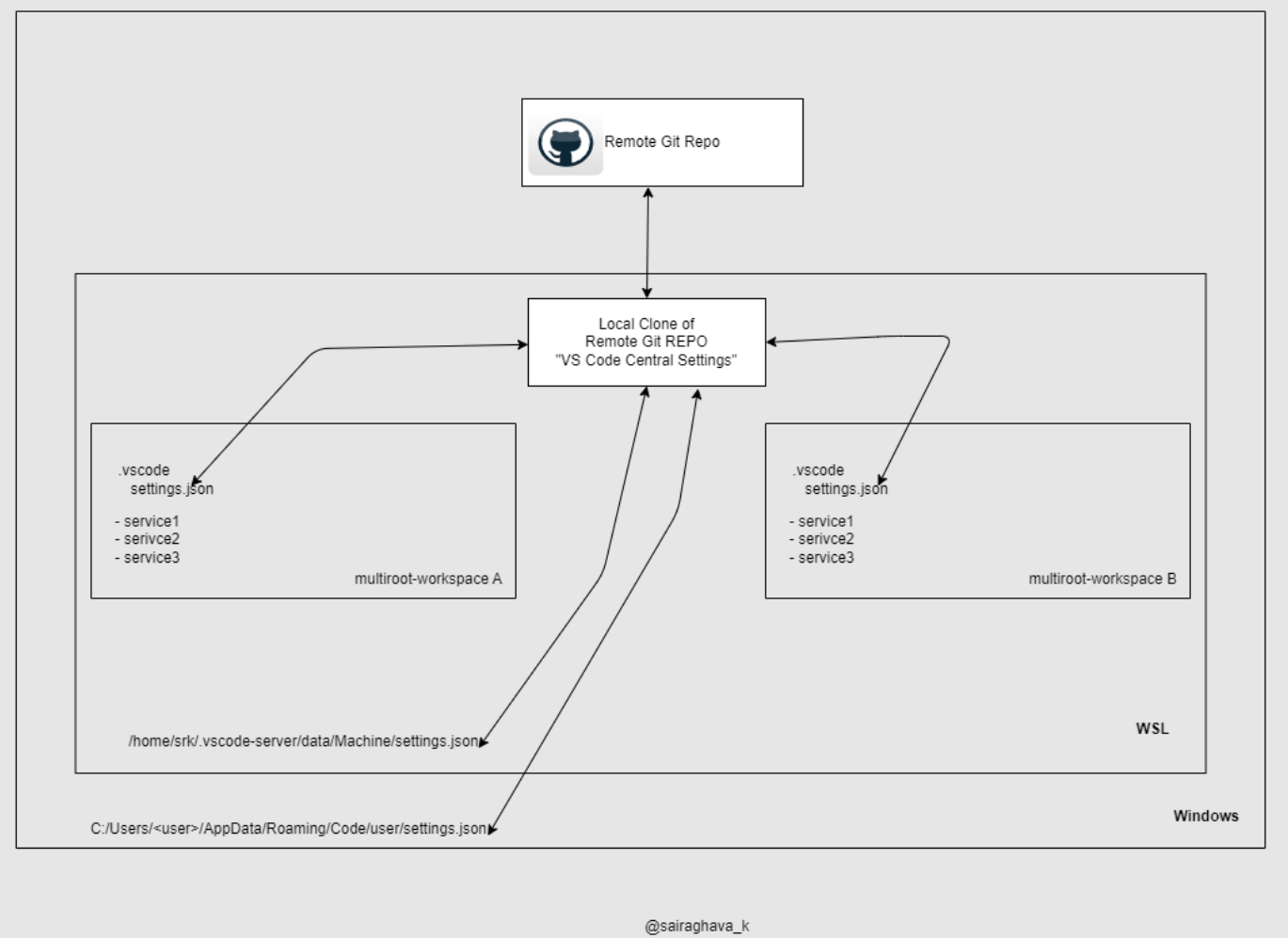 Note: VS Code already has Settings sync feature. But, I would like to have my own sync workflow.
- Here is my local vscode setup structure. This post is preference based and may not be the right choice for every dev and it’s working for me so far.
Implementation #
- Sync Windows Level
settings.json- Refer: WSL: Using A WSL symlink folder from Windows
- Open Powershell with administrative privilege

- Sync WSL Level
settings.json-
ln -s ~/work/srk/mono-workspace/my-vscode-central-settings/windows-wsl-your-workspace-folder/wsl/settings.json /home/srk/.vscode-server/data/Machine/settings.json
-
- Sync Multiroot workspace level settings
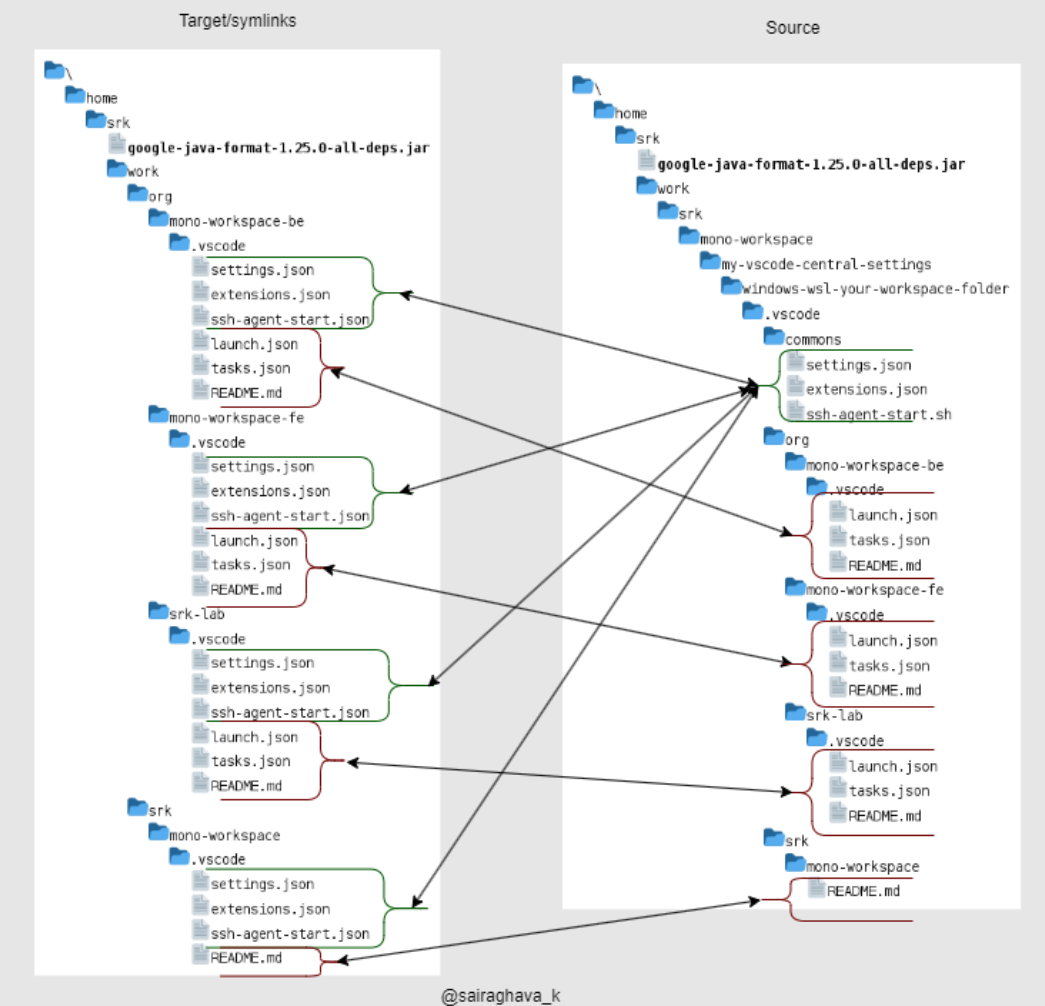 Note: All the workspaces mentioned in the above image are Multi-root workspaces.
-
And these multi-root workspaces are categorized into
- Org Space(~/work/<org>)
mono-workspace-be- Contains Backend projects
mono-workspace-fe- Contains Frontend projects
srk-lab- This is for quick proof of concepts.
- This contains a
.localdir which in itself is a local git repo that contains notes, learnings related to org/team specific projects.
- Personal Space(~/work/srk)
mono-workspace- This contains personal learning, and passion projects
- Learning, All System Designs, Code challenges etc
- This might contain open source projects and anything that I love to create
- Org Space(~/work/<org>)